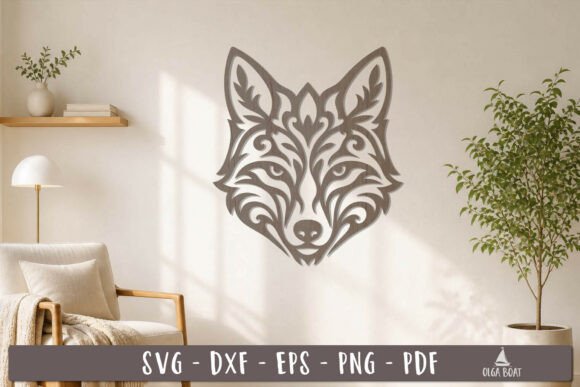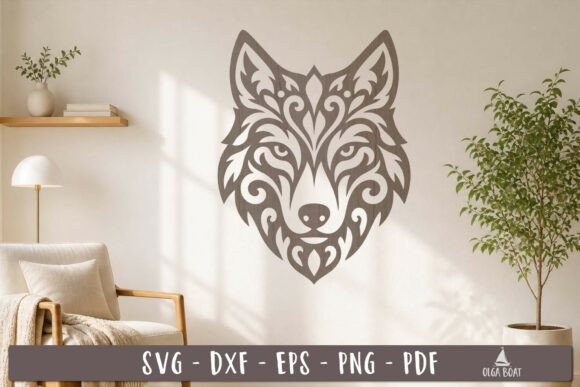
Create a Stunning Wolf Head Papercut SVG Laser Cut Design
Imagine transforming a simple sheet of paper or wood into a striking piece of art that captures the wild spirit of the wolf. This elegant papercut design offers just that, providing a sophisticated template for crafters and designers looking to create memorable animal wall decor.
The Wolf Head Papercut SVG Laser Cut Design is a versatile digital asset crafted for precision. It’s more than just a simple outline; it’s a layered, intricate template designed to produce beautiful shadow and depth when cut. The design is optimized for clean cuts, ensuring that the final piece looks polished and professional, whether it’s made from cardstock, plywood, acrylic, or leather.
What Makes This Design a Valuable Creative Asset?
In the world of digital design assets, quality and flexibility are paramount. This file set delivers both. It’s built to serve as a foundation for a wide range of projects, much like a well-crafted typeface serves a brand. The clean lines and balanced composition make it a premium design element that can elevate your work.
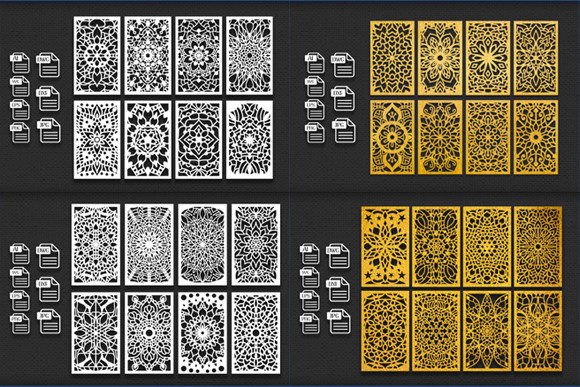
Upon download, you receive a comprehensive package of files to ensure compatibility with your workflow. You will get:
- 1 SVG file – The primary format for most cutting machines and scalable vector software.
- 1 EPS 10 file – A universal vector format for broader design application.
- 1 DFX file – Ideal for CAD and laser cutting software.
- 1 PDF file – For easy viewing, printing, or manual tracing.
- 1 PNG file – A high-resolution raster image for digital previews or print projects.
All files are neatly packed in a ZIP archive for straightforward download and storage.
Practical Applications for Your Projects
The true value of this design lies in its application. It’s a creative font of sorts for physical projects, offering a distinct visual language. Consider these use cases:
- Home Decor: Create a stunning centerpiece for a living room, cabin, or office wall. Layer different materials for a multi-dimensional effect.
- Personalized Gifts: Craft a unique, handmade gift for an animal lover or someone who appreciates folk art and nature themes.
- Event Decor: Use the design for themed party decorations, wedding table numbers, or rustic signage.
- Brand Identity Elements: For outdoor brands, eco-friendly products, or artisan workshops, the wolf motif can be adapted into logos, packaging accents, or social media graphics.
- Educational Tools: Create tactile learning materials about wildlife or symmetry in art projects.
Tips for Selecting and Using the Design
To ensure the best results, a little planning goes a long way. First, verify compatibility. Check that your cutting machine’s software (like Cricut Design Space, Silhouette Studio, or a laser cutter’s program) can import SVG or DFX files. The design uses a clear red line to indicate the cut path, making it easy to set up.
Next, consider your material. The intricacy of the papercut style works best on materials that hold fine details. Test a small section on your chosen material—be it cardstock, wood veneer, or craft foam—to adjust your machine’s settings for speed and blade depth.
Finally, think about presentation. Mounting the finished cut on a contrasting background can dramatically enhance its visual impact. A dark wolf head on a light background or vice versa creates a classic, elegant look suitable for modern typography and minimalist decor.
Choosing a well-constructed design asset like this one streamlines your creative process and ensures a professional outcome. It provides the reliability and aesthetic quality needed to bring your vision to life, helping you produce work that feels both intentional and inspired. The right design element doesn’t just fill space; it tells a story and adds a layer of sophistication to any project.